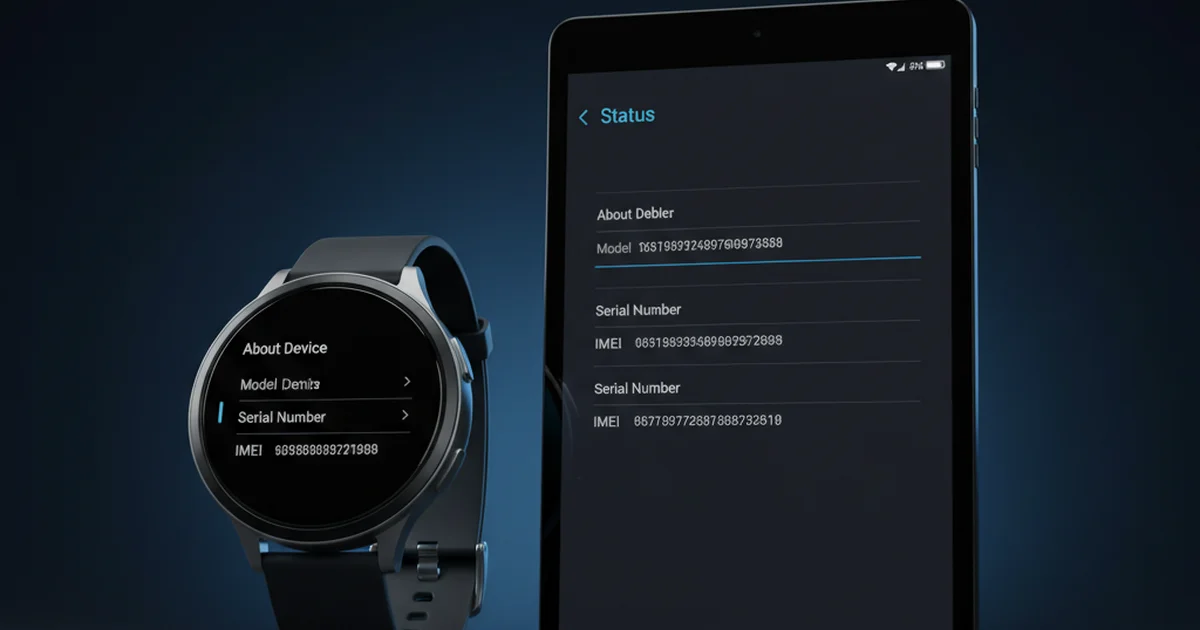

Your phone has an IMEI — but what about your iPad, Galaxy Tab, or Apple Watch? The answer isn’t as simple as yes or no. Whether a device has an IMEI depends on one thing: does it have a cellular radio? Understanding this distinction matters because IMEI determines whether a device can be tracked, blacklisted, or recovered if it’s ever lost or stolen.

This guide covers every major device category — tablets, smartwatches, eSIM wearables, iPads, Kindles, GPS trackers, and more — so you know exactly where you stand with each device you own.
Table of Contents
- What Determines Whether a Device Has an IMEI?
- Which Tablets Have an IMEI?
- Which Tablets Do NOT Have an IMEI?
- Do Smartwatches and Wearables Have an IMEI?
- How to Find the IMEI on Your Tablet or Smartwatch
- Does Having an IMEI Actually Matter for Your Device?
- Device IMEI Quick Reference Table
- Common Misconceptions About Device IMEIs
- Frequently Asked Questions
What Determines Whether a Device Has an IMEI?
The rule is straightforward: any device with a built-in cellular modem (3G/4G/5G) has an IMEI. The IMEI is assigned by the manufacturer and hardcoded into the device’s baseband processor — the chip responsible for communicating with mobile networks. Without a cellular radio, there is no baseband, and no IMEI.
Wi-Fi-only devices — those that can only connect to the internet via a wireless router — do not have an IMEI. They may have other identifiers (MAC address, serial number), but these are not the same thing. You can explore the IMEI number structure to understand exactly what the digits represent and how they’re assigned.
The GSMA (Global System for Mobile Communications Association), which governs IMEI standards globally, requires all cellular-capable devices to carry a unique IMEI. This includes not just smartphones, but any device with a mobile network interface — tablets, smartwatches, mobile broadband routers, and even some GPS trackers.
Which Tablets Have an IMEI?
Cellular-enabled tablets — those sold with SIM card support and data plans — always carry an IMEI. Here are the most common examples:
Apple iPad (Cellular Models)
Apple sells two variants of every iPad: Wi-Fi only and Wi-Fi + Cellular. Only the Wi-Fi + Cellular version has an IMEI. This applies to all models: iPad mini, iPad Air, iPad Pro, and standard iPad. The cellular iPad supports LTE or 5G depending on the model and year, and its IMEI is printed on the SIM tray and in Settings > General > About.
Importantly, many cellular iPads now support eSIM — meaning they may not have a physical SIM tray, but they still carry an IMEI. In fact, eSIM-capable iPads may have two IMEIs: one for the physical SIM and one for the eSIM slot.
Samsung Galaxy Tabs (LTE/5G Models)
Samsung’s Galaxy Tab S series (S8, S9, S10) and Galaxy Tab A series both come in Wi-Fi and LTE/5G variants. The LTE and 5G models carry IMEI numbers. You can find them by dialling *#06# or going to Settings > About tablet > Status information.
Other Android Tablets with Cellular
Lenovo Tab, Xiaomi Pad, Huawei MatePad, Amazon Fire HD (cellular version), and OnePlus Pad cellular variants all carry IMEIs on their LTE/5G models. Budget Android tablets from lesser-known brands sometimes have IMEIs that don’t pass standard Luhn validation — a red flag to check when buying second-hand.
Which Tablets Do NOT Have an IMEI?
Wi-Fi-only tablets have no IMEI. This is one of the most commonly misunderstood facts about device tracking. These devices include:
- iPad Wi-Fi only — no IMEI, no SIM tray, not trackable by carriers
- Amazon Kindle e-readers — Wi-Fi only Kindles have no IMEI; older “3G Kindle” models did
- Samsung Galaxy Tab Wi-Fi only — no IMEI
- Amazon Fire HD (Wi-Fi only) — no IMEI
- Most budget Android tablets sold without cellular plans — no IMEI
This has real consequences for theft recovery. A Wi-Fi-only iPad cannot be tracked or blacklisted via IMEI — it simply doesn’t have one. Apple’s “Find My” network works via Bluetooth/Wi-Fi and does not depend on IMEI, but IMEI blacklisting through your carrier is not an option for these devices.
Do Smartwatches and Wearables Have an IMEI?
This is where it gets interesting. Smartwatches divide into two camps — and it’s not always obvious which camp a device is in.
Smartwatches WITH an IMEI (Cellular Models)
Apple Watch with cellular (Series 4 and later, Ultra, SE cellular) uses eSIM and has its own IMEI — separate from your iPhone. When set up, it gets its own phone number and can make calls, send messages, and stream data independently of your iPhone. You can find the IMEI in the Watch app on your iPhone under General > About, or on the Watch itself in Settings > General > About.
Samsung Galaxy Watch LTE models (Galaxy Watch 4, 5, 6, 7 LTE) also carry an IMEI. They connect to your carrier’s network independently. The IMEI is in Settings > About watch > Status information.
Other cellular smartwatches with IMEI include Garmin with LTE (select models), Huawei Watch series LTE, Oppo Watch LTE, and kids’ GPS smartwatches that use a nano-SIM. The kids’ watch category is particularly important — most children’s GPS watches use cellular networks and carry IMEIs, meaning they can be tracked or blocked like a phone.
Smartwatches WITHOUT an IMEI (GPS/Wi-Fi Only)
Bluetooth-only or GPS-only smartwatches do not have an IMEI:
- Apple Watch GPS only (non-cellular versions) — no IMEI
- Fitbit devices (all models, Bluetooth/Wi-Fi only) — no IMEI
- Garmin GPS watches (non-LTE models) — no IMEI
- Xiaomi Mi Band / Smart Band series — no IMEI
- Fossil Gen smartwatches (non-LTE) — no IMEI
These devices use Bluetooth to sync with your phone and GPS satellites for location — neither of which requires a cellular IMEI. They may have serial numbers and MAC addresses, but not IMEIs. Learn more about how IMEI differs from serial numbers and other identifiers.
How to Find the IMEI on Your Tablet or Smartwatch
Finding your IMEI on a non-phone device is slightly different from a smartphone — here’s exactly how to do it on each device type. For a comprehensive guide covering all devices including phones, see how to find your IMEI number on any device.
iPad (Cellular)
- Settings method: Settings > General > About > scroll to IMEI
- SIM tray method: Eject the SIM tray — IMEI is engraved on it
- Box method: Check the barcode label on the original box
- iTunes/Finder: Connect to Mac/PC, click device name, IMEI shown in summary
Android Tablet (Samsung, Lenovo, etc.)
- Dial code: Open the Phone dialler and type *#06# — IMEI displays immediately
- Settings method: Settings > About device/tablet > Status > IMEI information
- SIM tray: Some models have the IMEI printed on the SIM card tray
Apple Watch (Cellular)
- On the Watch: Settings > General > About > scroll to IMEI
- iPhone Watch app: My Watch > General > About > IMEI
- Original box: Printed on the box label
Samsung Galaxy Watch (LTE)
- On the Watch: Settings > About watch > Status information > IMEI
- Galaxy Wearable app on phone: About watch > IMEI
Once you have your IMEI, you can run an online IMEI check to verify its status and confirm it isn’t blacklisted — useful when buying second-hand devices.
Does Having an IMEI Actually Matter for Your Device?
Yes — significantly. Here’s what changes when your device has (or doesn’t have) an IMEI:
Theft Recovery
Devices with an IMEI can be reported stolen and blacklisted by carriers. Once blacklisted, the device cannot connect to any mobile network in participating countries. Wi-Fi-only devices with no IMEI cannot be blacklisted this way — they remain fully functional on Wi-Fi even after theft.
Carrier Plans and SIM Activation
Adding a cellular plan to a tablet or smartwatch requires a valid IMEI. Carriers verify the IMEI against their IMEI registration and SIM activation rules before issuing a data or voice plan. A device with a blacklisted or fake IMEI will be rejected.
Law Enforcement Tracking
If your cellular tablet or smartwatch is stolen and used on a mobile network, law enforcement can request IMEI tracking data from carriers. This is not possible with Wi-Fi-only devices — they leave no carrier-level trace.
Insurance Claims
Many insurance providers for tablets and wearables require the IMEI for claims. If your device doesn’t have one (Wi-Fi only), the insurer may instead use the serial number — but check your policy carefully, as some policies specifically require IMEI.
Device IMEI Quick Reference Table
Use this table to instantly check whether your device type has an IMEI:
| Device | Has IMEI? | Condition |
|---|---|---|
| iPad (Wi-Fi + Cellular) | ✅ Yes | Only cellular/LTE/5G models |
| iPad (Wi-Fi only) | ❌ No | No cellular radio |
| Samsung Galaxy Tab LTE/5G | ✅ Yes | LTE and 5G variants only |
| Samsung Galaxy Tab Wi-Fi | ❌ No | No cellular radio |
| Amazon Kindle (Wi-Fi) | ❌ No | All current Kindle models |
| Amazon Fire HD LTE | ✅ Yes | LTE variant only |
| Apple Watch Cellular | ✅ Yes | GPS+Cellular models (eSIM) |
| Apple Watch GPS only | ❌ No | GPS-only variants |
| Samsung Galaxy Watch LTE | ✅ Yes | LTE models only |
| Fitbit (all models) | ❌ No | Bluetooth/Wi-Fi only |
| Kids GPS Smartwatch | ✅ Yes | If it uses a nano-SIM or eSIM |
| Garmin Watch (LTE) | ✅ Yes | Select LTE models only |
| Garmin Watch (GPS only) | ❌ No | No cellular radio |
| Mobile Hotspot/Router | ✅ Yes | All cellular routers |
Common Misconceptions About Device IMEIs
“My tablet connects to the internet so it must have an IMEI”
This is the most common misconception. Internet connectivity and IMEI are completely separate. A Wi-Fi-only tablet connects to the internet via your home router using a Wi-Fi chip — no cellular modem, no IMEI. Only devices connecting to mobile networks (Vodafone, AT&T, Jio, Telstra, etc.) need and carry an IMEI.
“Smartwatches are too small to have an IMEI”
Size has nothing to do with it. The baseband chip that stores the IMEI is microscopic. The Apple Watch Ultra 2, despite fitting on a wrist, contains a fully functional cellular modem with its own IMEI that operates independently of any paired iPhone. Kids’ GPS watches — some as small as a standard watch — also contain cellular modems and carry registered IMEIs.
“If my device has GPS, it can be tracked like a phone”
GPS and cellular tracking are different technologies. A GPS watch knows its own location via satellite, but to transmit that location to you it needs either Bluetooth (range: ~10 metres), Wi-Fi, or cellular. Only a device with cellular can be tracked by carriers using IMEI. A GPS-only Garmin watch knows where it is but cannot be tracked remotely unless paired with your phone via Bluetooth.
Frequently Asked Questions
Can a Wi-Fi-only iPad be blocked if stolen?
Not via IMEI blacklisting — it has no IMEI to block. However, if the iPad is signed into an Apple ID, you can use Find My to put it in Lost Mode, lock it remotely, and display a message. This works over Wi-Fi whenever the device connects to any network. It won’t block cellular usage (there is none), but it renders the device unusable without your Apple ID password.
Does my Apple Watch have a different IMEI than my iPhone?
Yes, completely different. Your cellular Apple Watch has its own unique IMEI assigned at manufacture, separate from your iPhone’s IMEI. Even though the Watch shares your iPhone’s phone number via Apple’s NumberShare/One Number service, it has its own device identity on the network.
Should I record the IMEI of my tablet or smartwatch?
Absolutely, if the device has one. Write it down in a secure place (notes app with password, password manager, or physical safe). If the device is ever stolen, you’ll need the IMEI to file a police report and request carrier blacklisting. Without it, recovery is significantly harder. Check it now in your device settings and record it before you need it.
Can a tablet’s IMEI be blacklisted the same way a phone’s can?
Yes. Carrier IMEI blacklisting works the same way regardless of device type — phone, tablet, or smartwatch. If a cellular tablet is reported stolen, the carrier logs the IMEI in the national blacklist database. Any other carrier in the country (and in countries with shared blacklists) will then refuse to activate a SIM for that device. For more detail, see how IMEI blacklisting works.
Does a kids’ GPS smartwatch have a real IMEI?
If the kids’ watch uses a nano-SIM or eSIM to connect to a mobile network — yes, it has a genuine registered IMEI. This means it can be tracked by carriers and blacklisted if stolen. Lower-quality kids’ watches from unverified manufacturers sometimes ship with invalid or duplicate IMEIs, so always verify the IMEI of any children’s GPS watch using an official IMEI check tool before purchasing.
Conclusion: Know Your Device’s Identity Before You Need It
The bottom line: if it has a SIM card slot or eSIM and connects to a mobile network, it has an IMEI. If it only uses Wi-Fi or Bluetooth, it doesn’t. This distinction matters enormously for theft recovery, insurance claims, and carrier services.
Your immediate next step: check every cellular device you own — tablets, smartwatches, kids’ GPS devices — dial *#06# or go to Settings > About, and write down each IMEI in a secure place. It takes two minutes and could save you significant trouble later. If you want to verify any IMEI is valid and clean right now, run it through an official IMEI check tool.
TrackMobileIMEI researches IMEI standards using official GSMA documentation, carrier policy pages, and manufacturer specification sheets. Device IMEI details are verified against Apple, Samsung, and Google’s published hardware specifications.