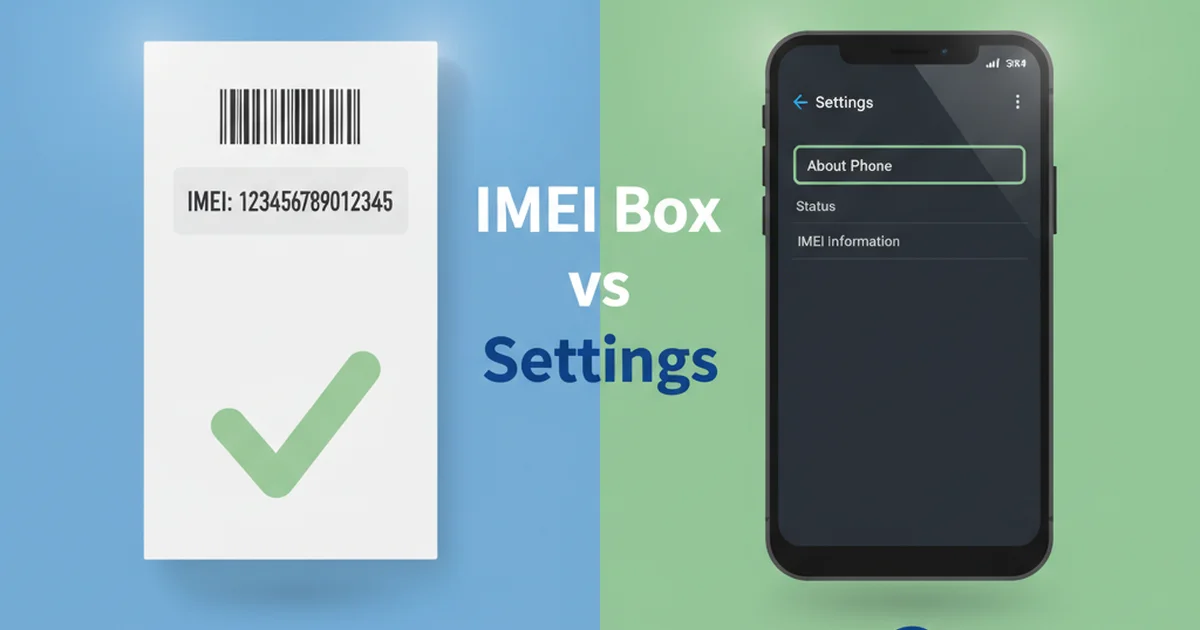

Your phone arrived. You check the box. The IMEI number is printed right there. But then you look at your phone’s settings, and the IMEI shown is different. What gives?
This happens more often than you’d think. And it raises immediate questions: Which one is real? Does it matter? Could your phone be cloned, stolen, or counterfeit?
In this guide, we’ll explain why these numbers don’t always match, what causes the difference, and what you should do about it.
Table of Contents
- Why IMEI Numbers on the Box Differ from Phone Settings
- Which IMEI Is the Real One?
- When Does IMEI Duplication Happen?
- Counterfeits and IMEI Clones
- What You Should Check Before Buying a Used Phone
- How Mismatched IMEIs Affect Blacklisting
- IMEI Variants Across Different Phone Models
- Troubleshooting IMEI Mismatches
- FAQ
Why IMEI Numbers on the Box Differ from Phone Settings
When you buy a phone, manufacturers print the IMEI (and often other identifiers) on the box, the battery compartment, or inside the device. But the IMEI is also stored in the device’s firmware — the core software that controls all the phone’s hardware. Always check IMEI before buying a used phone before handing over money for any pre-owned device.
Here’s the problem: sometimes these two don’t match. This can happen for several innocent reasons:
1. Manufacturing Errors
The IMEI is printed on the box during manufacturing. The IMEI is also burned into the phone’s firmware during assembly. If there’s a typo or error during either step, the printed IMEI and the stored IMEI will differ. This is rare but does occur, especially with high-volume manufacturers producing millions of units annually.
For example, a digit might be misread during printing (0 vs O), or during firmware programming. Quality control catches most errors, but some slip through. In fact, refurbished device reports show that about 2-3% of devices may have documentation-to-firmware mismatches. The IMEI number structure explains exactly how those 15 digits are assigned and what each segment means.
2. Refurbished or Reboxed Phones
Refurbished phones are returned units that have been cleaned, repaired, and tested. A refurbished phone might come in a different box than its original — sometimes a new box, sometimes a generic one. If that phone’s IMEI was changed (or reset to factory firmware) after refurbishment, it won’t match the original box IMEI anymore.
Major retailers like Best Buy and Amazon Renewed sell certified refurbished devices. These should always come with documentation explaining the mismatch. But if you buy from smaller sellers or marketplaces, they might not disclose this fact.
3. Regional Model Differences
Major phone makers like Apple, Samsung, and others produce different models for different regions (USA, Europe, Asia, etc.). Sometimes the IMEI on the box reflects one region’s model code, while the phone’s firmware has a different code. This is especially common in gray-market phones or those sold outside their intended market.
For instance, an iPhone 15 sold in the UK might have a different IMEI prefix than one sold in the USA, even though they’re the same physical device. When these phones are re-sold internationally, the box and firmware IMEIs can create confusion.
4. Software Updates and Firmware Resets
In rare cases, major firmware updates or factory resets can cause firmware-level identifiers to change. This is uncommon with IMEI specifically (which is usually locked at the hardware level), but it can happen if a phone undergoes a complete firmware flash or repair involving component replacement.
5. Dual SIM Variants
{get_link(‘what-is-imei2-how-dual-sim-phones-work’, ‘Dual SIM phones have two IMEI numbers’)} — one for each SIM slot (IMEI1 and IMEI2). Sometimes the box might list only IMEI1, while the settings show both. This isn’t a mismatch per se, but it can be confusing if you’re not familiar with dual SIM phones.
Which IMEI Is the Real One?
This is the key question. Here’s the answer: The IMEI in your phone’s settings (or visible via *#06#) is the authoritative one.
Why? Because carriers, police, and blacklist databases use the IMEI that the phone broadcasts when it connects to the network. That’s the IMEI stored in the phone’s firmware. The box IMEI is just documentation — it’s not what the network sees.
When you report a phone stolen, file an insurance claim, or request it to be blacklisted, the system uses the IMEI from the phone itself, not the box. So if the two don’t match, the one in your phone is the one that matters for all legal and regulatory purposes.
The phone’s IMEI is:
When Does IMEI Duplication Happen?
IMEI duplication is when multiple phones have the same IMEI. This is different from a mismatch between box and settings — this is when two completely separate phones claim the same identity. Understanding IMEI cloning and its risks explains why duplicate identifiers are a serious problem for networks and users alike.
Here’s when and why this occurs:
Deliberate Cloning (Fraud)
Thieves and scammers can copy a phone’s IMEI and reprogram another device (usually a cheap counterfeit) to broadcast the same number. The fake phone then connects to networks and intercepts calls and data intended for the real phone. This is IMEI cloning, and it’s a serious crime in most countries, prosecutable under telecommunications fraud and identity theft laws. Being aware of common IMEI scams and fraud tactics helps you spot red flags before you get caught out.
Factory Defects
In rare manufacturing errors, a batch of phones might ship with the same IMEI. This is extremely uncommon because manufacturers use unique numbering schemes, but it can happen when quality control fails. When discovered, manufacturers typically issue recalls and offer device replacements.
Counterfeit Phones
Counterfeit devices (fake iPhones, Galaxy phones, etc.) are made to look identical to real phones. To fool buyers and avoid immediate detection, counterfeiters often copy IMEIs from real phones. This is why buying from untrusted sources (non-authorized sellers, street vendors, unclear online marketplaces) is so risky.
How to Tell If Your Phone Is Counterfeit or Cloned
A mismatch between box and phone IMEI alone doesn’t prove your phone is counterfeit or cloned. But it’s a red flag, especially if you bought it from a third party or marketplace seller without documentation of why it’s mismatched.
Here’s what to check:
1. Verify the IMEI Against Apple/Samsung Records
Apple, Samsung, and other major makers have tools to check if an IMEI is genuine and what device it corresponds to. For iPhones, visit Apple’s official IMEI lookup tool or use the activation lock check. For Samsung, use Samsung’s Device ID or Find My Mobile service. If the IMEI doesn’t match their records or returns an error, it’s either cloned or counterfeit. You can check your IMEI number online in seconds using several official and trusted services.
2. Check for Physical Inconsistencies
Examine the phone closely. Counterfeit phones often have:
3. Cross-Reference With the Carrier
Call your carrier (Verizon, AT&T, T-Mobile in the USA; Vodafone in the UK; Rogers in Canada; Telstra in Australia) and ask them to verify the IMEI. They can tell you if the IMEI is registered, which device type it should be, and whether there are any fraud flags on it. Legitimate phones should have clean carrier records.
What You Should Check Before Buying a Used Phone
If you’re buying a used or second-hand phone, follow this comprehensive checklist:
| Check | What to Look For | Red Flag If |
|---|---|---|
| Box IMEI vs Phone IMEI | They should match or have a documented reason for difference (refurbished status, warranty repair label) | Complete mismatch with no explanation or seller can’t explain it |
| IMEI Validation | Check with Apple, Samsung, or official manufacturer | IMEI not recognized, flagged as invalid, or returns generic error |
| Blacklist Status | Check using {get_link(‘trusted-imei-lookup’, ‘trusted IMEI lookup services’)} or carrier database | Phone is blacklisted, reported stolen, or flagged as compromised |
| Battery Health | iOS: Settings → Battery Health; Android: Settings → About Phone or Battery | Below 80% capacity for a “new” or “barely used” phone; severe degradation suspicious |
| Activation Lock | For iPhones: Check Apple ID lock status; For Android: Check Google Account lock | Previous owner’s account still active (phone not properly reset); seller can’t provide proof of reset |
| Physical Condition | No cracks, misaligned parts, or loose components | Damage inconsistent with “lightly used” claim; body gaps, loose screen, or water damage signs |
How Mismatched IMEIs Affect Blacklisting
Here’s a critical scenario: You buy a phone thinking it’s used legitimately, but the box IMEI and phone IMEI don’t match. A week later, the original owner reports it stolen. The police and carrier blacklist the real IMEI (the one in the phone). Now your phone can’t connect to networks in that country.
This is why the phone’s IMEI (not the box IMEI) is what matters for legal and network purposes. If you ever need to unblock a phone, you’ll be unblocking the IMEI in the phone, not the IMEI on the box. And if the two don’t match, you could face complications in getting it unblocked or proving ownership.
In countries like the USA, Canada, South Africa, and Australia, blacklisted phones are rendered completely unusable. The carrier flags the IMEI in their networks, and the phone cannot:
IMEI Variants Across Different Phone Models and Regions
Different regions and phone models can have IMEI variations. Here’s what you need to know:
Carrier-Locked vs Unlocked
A carrier-locked phone sold with AT&T in the USA might have a different firmware version (and potentially different hardware identifiers) than the same phone model sold as unlocked. While the IMEI itself doesn’t change, the firmware and how it’s reported can vary.
International Models
iPhone, Samsung, and other major brands have different model numbers for different regions (A2111 vs A2223 for example). The IMEI prefix might reflect these variants, leading to confusion when phones are purchased internationally.
Troubleshooting IMEI Mismatches
Step 1: Document the mismatch. Take photos of both the box IMEI and the phone settings screen showing the device IMEI. Save these images for records.
Step 2: Check with the seller. If you purchased the phone recently, contact the seller immediately and ask why the IMEIs don’t match. Legitimate refurbished sellers will have an explanation ready (warranty repair, refurbishment process, etc.).
Step 3: Verify with the manufacturer. Visit Apple’s IMEI lookup or Samsung’s service and verify that the IMEI in your phone is recognized and valid. If it returns an error, the phone may be counterfeit or corrupted.
Step 4: Check for blacklisting. Use a reputable {get_link(‘trusted-imei-lookup’, ‘IMEI checker service’)} to confirm the phone isn’t blacklisted or reported stolen. This is critical if you’re considering keeping or reselling the device.
Step 5: Request a return or refund. If you can’t get a satisfactory explanation or if the IMEI is flagged, request a return within the seller’s return window. Most reputable platforms (Amazon, eBay) protect buyers in these scenarios.
How to Protect Yourself
Buy from authorized retailers or verified sellers. The safest way to avoid counterfeit and cloned phones is to purchase directly from official stores (Apple Store, Samsung official store, carrier stores). If buying second-hand, use reputable platforms with buyer protection (eBay, Swappa, Best Buy Renewed).
Always verify the IMEI before finalizing the purchase. Ask the seller for the IMEI and check it against the manufacturer’s database and blacklist services before handing over money. Most sellers are cooperative with this; if they refuse, that’s a major red flag.
Request a return window. Good sellers offer 7-14 days to return if the phone doesn’t match its description. Use that time to run full checks and verify everything.
Document everything. Keep the receipt, photos of the box and phone, any serial number documentation, and correspondence with the seller. If a problem arises later, this documentation can help you claim fraud or file a dispute with your payment processor or platform.
Know your rights. In the USA, the FTC protects consumers against counterfeit goods. In the UK, the Consumer Rights Act covers defective products. Canada’s Competition Act protects against misleading advertising. Familiarize yourself with your regional consumer protection laws.
Frequently Asked Questions
Can I change my phone’s IMEI?
In most countries (USA, UK, Canada, Australia), it’s illegal to change your phone’s IMEI. It’s also technically very difficult with modern phones because the IMEI is burned into secure hardware. Some older Android devices could be modified, but modern iPhones and current Android phones have encrypted firmware that prevents this. Attempting to do so could result in criminal charges.
Is a mismatched IMEI always a sign of a fake phone?
Not always. Legitimate refurbished phones, phones that have undergone warranty repairs, or phones with manufacturing errors might have mismatches. However, it’s definitely a red flag if the seller can’t explain it, especially on unmarked or “used” devices from unverified sellers or suspicious sources.
Which IMEI does the carrier use for blacklisting?
The carrier uses the IMEI stored in the phone’s firmware. This is the IMEI you see by dialing *#06# or in Settings. The box IMEI is documentation only and doesn’t affect network connectivity or blacklisting decisions.
What should I do if I notice my phone’s IMEI doesn’t match the box?
First, ask the seller why. If it’s a refurbished phone or warranty replacement, that’s a reasonable explanation documented by the seller. If it’s described as “new” or “sealed,” request a refund or return immediately. If the phone is already in your possession and you can’t resolve it, verify the IMEI against manufacturer and carrier databases to ensure it’s not blacklisted or fraudulent.
Can two phones have the same IMEI?
In theory, no. Each phone should have a unique IMEI assigned by the manufacturer. But in practice, cloned or counterfeit phones are intentionally reprogrammed to duplicate real IMEIs, which is how IMEI fraud happens. This is illegal and rare for legitimate devices, but serious when it occurs.
How do I check if my IMEI is blacklisted?
Use {get_link(‘trusted-imei-lookup’, ‘trusted IMEI lookup services’)} to check. You’ll enter your IMEI (find it by dialing *#06# or in Settings) and the service will report its status, including whether it’s blacklisted, reported stolen, or flagged for fraud. Reputable services usually charge a small fee ($2-10) for detailed reports; be cautious of completely free services, as they may sell your data.
What if my IMEI was blacklisted by mistake?
Contact your carrier immediately with proof of ownership. Provide your purchase receipt, warranty documentation, and any other proof. If the phone was blacklisted in error, the carrier can remove the flag. If it was flagged for theft, you’ll need a police report or court documentation proving ownership was transferred legally.
The bottom line: If your phone’s IMEI doesn’t match the box, don’t panic — but do investigate. The IMEI in your phone is the one that matters legally and for network purposes. Always verify any phone’s IMEI before purchasing, especially from third parties or marketplaces.
Next Steps
If you’re concerned about your phone’s IMEI, start by {get_link(‘how-to-find-imei-number’, ‘finding your IMEI’)} and checking its status. You can also {get_link(‘how-to-check-imei-before-buying-used-phone’, ‘learn how to verify an IMEI before buying’)} to protect yourself in future purchases. And if you’re buying second-hand, always {get_link(‘is-imei-tracking-legal’, ‘understand your rights’)} regarding device tracking and ownership transfer.
Stay vigilant, verify early, and buy from trusted sources. Your phone’s identity is worth protecting.
Can I change my phone’s IMEI?
In most countries (USA, UK, Canada, Australia), it’s illegal to change your phone’s IMEI. Modern iPhones and Android phones have encrypted firmware that prevents this. Attempting to do so could result in criminal charges.
Is a mismatched IMEI always a sign of a fake phone?
Not always. Legitimate refurbished phones or warranty repairs might have mismatches. However, it’s a red flag if the seller can’t explain it, especially on unmarked or used devices from unverified sellers.
Which IMEI does the carrier use for blacklisting?
The carrier uses the IMEI stored in the phone’s firmware. This is the IMEI you see by dialing *#06# or in Settings. The box IMEI is documentation only and doesn’t affect blacklisting.
What should I do if I notice my phone’s IMEI doesn’t match the box?
Ask the seller why. If it’s refurbished, that’s reasonable. If described as new, request a refund. Verify the IMEI against manufacturer and carrier databases to ensure it’s not blacklisted.
Can two phones have the same IMEI?
In theory, no. Each phone should have a unique IMEI. But cloned or counterfeit phones are intentionally reprogrammed to duplicate real IMEIs, which is how IMEI fraud happens.
Comment (1) on "IMEI on the Box vs in Phone Settings: Do They Always Match? 2026"
Comments are closed.