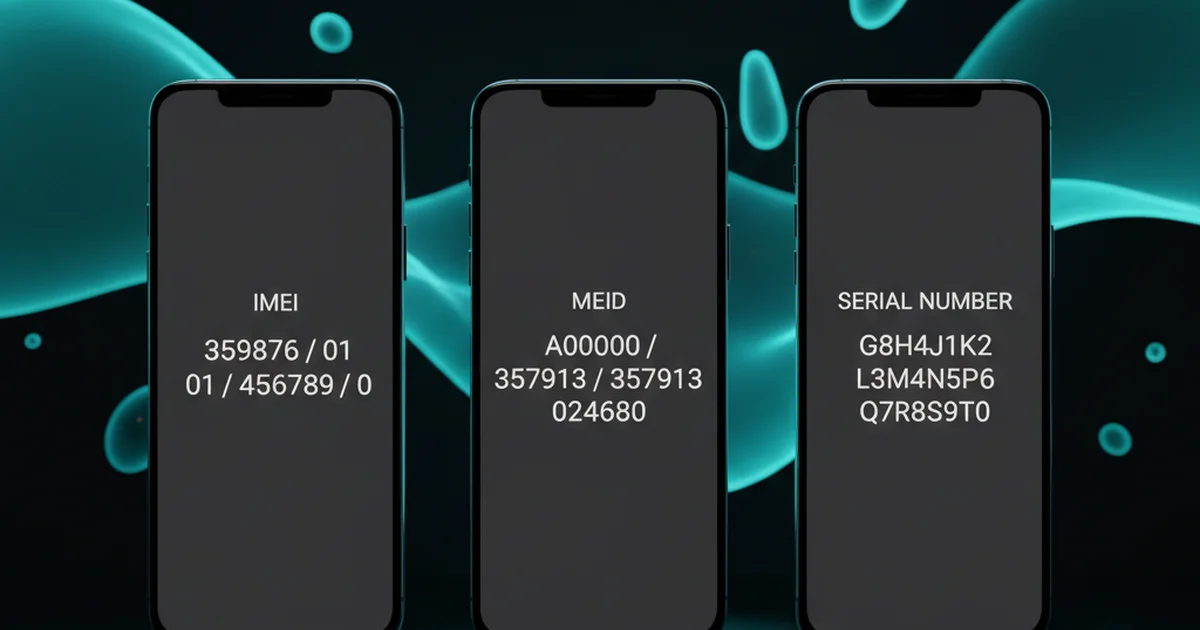

Every mobile device has multiple identifiers — but they serve very different purposes. The IMEI is what your carrier uses to connect you to the network and block a stolen phone. The serial number is what the manufacturer uses for warranty and support. The MEID is an older American standard. Knowing which one you need — and when — prevents a lot of confusion when reporting a stolen device or buying used.

Table of Contents
- Quick Reference: IMEI vs Serial Number vs MEID
- What Is an IMEI?
- What Is a Serial Number?
- What Is a MEID?
- Key Differences Explained
- Which Identifier Do You Need?
- Where to Find Each on Your Phone
- Frequently Asked Questions
Quick Reference: IMEI vs Serial Number vs MEID
| Feature | IMEI | Serial Number | MEID |
|---|---|---|---|
| Full name | International Mobile Equipment Identity | Serial Number | Mobile Equipment Identifier |
| Length | 15 digits | Varies (8–20 chars, alphanumeric) | 14 hex digits (56 bits) |
| Used by | Mobile carriers, national blacklist systems | Manufacturer (Apple, Samsung, etc.) | CDMA carriers (Sprint, Verizon legacy) |
| Purpose | Network identity, device blocking | Warranty, repair, support | Network identity on CDMA networks |
| Standard | GSM/UMTS/LTE/5G (global) | Manufacturer-specific | CDMA (USA, legacy) |
| Can be blacklisted? | Yes — across all carriers | No — manufacturer use only | Yes — on CDMA networks |
| Found in | Settings, *#06#, box sticker | Settings, box sticker, device back | Settings (older US phones) |
What Is an IMEI?
The IMEI (International Mobile Equipment Identity) is a globally unique 15-digit number assigned to every cellular device. It is the primary identifier used by mobile networks worldwide to authenticate devices and enforce blacklists. When you insert a SIM card, your carrier checks the IMEI against its Equipment Identity Register (EIR) — if it is on the blacklist, the device is denied network access.
The IMEI is structured as: TAC (8 digits) + Serial Number (6 digits) + Check Digit (1 digit). The TAC identifies the device model and manufacturer; the serial portion identifies the specific unit. The check digit validates the number using the Luhn algorithm. Full breakdown of IMEI number structure and what each part means.
What Is a Serial Number?
The serial number is a manufacturer-assigned identifier used for internal tracking — warranty management, repair history, factory records, and support. Unlike the IMEI, it has no standard format. Apple uses alphanumeric strings like F2LWC0NMHG0R. Samsung uses strings like R58N123ABCD. Google Pixel serial numbers follow their own format.
The serial number is stored in the device’s firmware and is also printed on the retail box. It is what you use when contacting manufacturer support, registering for AppleCare, or making a warranty claim. It is not used by carriers and cannot be used to blacklist a device on a mobile network. For Wi-Fi-only devices (tablets, iPods) that have no IMEI, the serial number is the only hardware identifier.
What Is a MEID?
The MEID (Mobile Equipment Identifier) is the CDMA equivalent of the IMEI. It is a 14-digit hexadecimal number used to identify devices on CDMA networks — primarily the legacy networks of Verizon and Sprint in the United States. MEID was introduced to replace the older ESN (Electronic Serial Number) when 32-bit ESN numbers ran out.
With the shutdown of CDMA networks in the USA (Verizon ended CDMA in December 2022; Sprint’s network merged into T-Mobile), MEID is increasingly irrelevant for new devices. Modern phones sold in the USA use IMEI on LTE and 5G networks. However, you may still encounter MEID on older phones or when unlocking legacy devices.
Key Differences Explained
Scope of Use
The IMEI operates globally — a blacklisted IMEI in the UK is shared with the GSMA database and can block the device in Australia, Canada, or South Africa. The serial number only means something to the manufacturer. The MEID only means something to CDMA carrier systems, which are being phased out.
Changeability
Serial numbers are embedded at the factory and cannot be changed by the user. IMEIs are supposed to be permanent hardware identifiers, but IMEI modification is possible (and illegal in most countries). MEID is similarly locked at hardware level on CDMA devices.
Privacy Implications
The IMEI is the most sensitive of the three — it is broadcast to mobile towers every time your phone connects to a network, creating a persistent, trackable identifier. Carriers, governments, and law enforcement can use it to track device location over time. The serial number is only visible locally or when you disclose it to a service provider.
Which Identifier Do You Need?
| Situation | Identifier Needed |
|---|---|
| Reporting a stolen phone to police | IMEI (both IMEI1 and IMEI2 for dual-SIM) |
| Asking carrier to blacklist a stolen device | IMEI |
| Apple warranty or AppleCare claim | Serial Number |
| Samsung warranty claim | Serial Number (and IMEI) |
| Checking blacklist status before buying used | IMEI |
| Unlocking an old Verizon phone | MEID (older devices) or IMEI (newer) |
| Insurance claim for lost phone | IMEI + Serial Number (insurers want both) |
| Wi-Fi-only tablet support claim | Serial Number only (no IMEI) |
Where to Find Each on Your Phone
IMEI
- Dial *#06# — fastest method, works on all phones
- Settings → About phone → IMEI information (Android) or Settings → General → About → IMEI (iPhone)
- Original retail box barcode sticker
- Google account (myaccount.google.com) or Apple ID (appleid.apple.com) device list
Serial Number
- Settings → About phone → Serial Number (Android) or Settings → General → About → Serial Number (iPhone)
- Original retail box barcode sticker
- Printed on device back (some older models)
- Apple ID or Samsung account device list
MEID
- Settings → About phone (on older CDMA-capable devices, displayed alongside IMEI)
- Dial *#06# — some older US phones show MEID here instead of or alongside IMEI
- Original box sticker on older US Verizon/Sprint devices
Full guide to finding your IMEI number on any device.
What is the difference between IMEI and serial number?
The IMEI is used by mobile networks to authenticate your device and enforce carrier blacklists. It is a 15-digit number and works globally. The serial number is a manufacturer identifier used for warranty and support — it has no standard format and cannot blacklist a device on a network.
What is a MEID and do I need it?
MEID (Mobile Equipment Identifier) is the CDMA equivalent of IMEI, used on legacy Verizon and Sprint networks in the USA. With CDMA networks now shut down, MEID is only relevant for unlocking or using very old US phones. Modern devices on LTE and 5G use IMEI.
Which identifier do I use to report a stolen phone?
Always use the IMEI. Police reports and carrier blacklist requests require the IMEI — not the serial number. If your phone is dual-SIM, provide both IMEI1 and IMEI2 to ensure both SIM slots are blocked on the network.
Can a serial number blacklist a phone?
No. Serial numbers are manufacturer identifiers used for warranty and support only. They have no connection to mobile network databases. Only the IMEI (or MEID for legacy CDMA) can be used to block a phone on a cellular network.
Do iPhones have both an IMEI and a serial number?
Yes. Every cellular iPhone has both an IMEI (for network identity) and a serial number (for Apple warranty and support). Both are shown in Settings then General then About. The IMEI is what you report to police and carriers; the serial number is what you give to Apple Support.
Comments (7) on "IMEI vs Serial Number vs MEID: Key Differences Explained"
Comments are closed.